• INSTANT UPGRADE

    Say goodbye to dead zones and slow connections.

  • 4-IN-1 ANTENNA

    Four internal LMH antennas in one sleek unit.

  • EASY SETUP

    Mounts in minutes — no tools, no roof, no hassle.

  • BUILT TO LAST

    Waterproof and impact-resistant.

Boost your signal. Not your blood pressure.

Meet Beacon, the low-profile 4-in-1 4G/5G antenna that mounts to a window and helps your router reach stronger cellular signal without an outdoor install.

1 2 3 4

1. ADHESIVE WINDOW MOUNT

No drilling. No roof access. Beacon sticks directly to a clean, smooth surface, making it easy to place the antenna near a window where cellular signal is often stronger.

2. FULL-BAND 4G/5G

Beacon covers 600–6000 MHz across LTE and 5G bands, giving you broad cellular compatibility in one antenna instead of swapping hardware for different deployments.

3. LOW-PROFILE DESIGN

Strong cellular hardware doesn’t need to take over the room. Beacon is only about 30.6 mm thick, so it sits cleanly against a window or other smooth surface without a bulky outdoor antenna setup.

4. 4-IN-1 OMNI-DIRECTIONAL

Four cellular antennas. One low-profile housing. Beacon gives compatible routers four LMH antenna connections while receiving signal from multiple directions, without four separate antennas cluttering up the install. 

LTE, CBRS, CAT-M, NB-IoT — all in.

One antenna.

Every frequency.

4-in-1 LMH Antenna

Equipped with four internal antennas to support full 5G/4G performance across 600 to
6000 MHz, including LTE, CBRS, CAT-M, and NB-IoT.

Katalyst Beacon indoor cellular antenna mounted to a window using a high-strength adhesive for quick, tool-free installation.

Adhesive mount for smooth surfaces.

No tools.

No hassle.

Indoor Adhesive Mount

Installs directly to windows or other smooth surfaces using high-strength adhesive. No
drilling, roof access, or pro install required.

Waterproof. Impact-resistant. Ready for anything.

Tough gear.

Long life.

IP67/IP69K Rated Housing

Built to withstand tough conditions with waterproof and impact-resistant casing for
reliable long-term use.

Fits all SMA-compatible devices.

Plug it in.

You’re set.

Fits all SMA-compatible devices.

Compatible with Katalyst routers and other devices that support SMA antenna ports.
Works out of the box with no adapters needed.

Compact indoor cellular antenna mounted near a window, demonstrating a low-profile design that blends into office, retail, or home environments.

Compact form, zero visual noise.

Fits anywhere, blends everywhere.

Low-Profile, Compact Design

Sleek and discreet footprint makes it ideal for office, retail, and remote setups where
space and aesthetics matter.

Person giving a thumbs up after installing the Katalyst Beacon indoor cellular antenna for fast, frustration-free signal improvement.

Setup in under a minute.

Zero tools. Zero stress.

Fast, Frustration-Free Setup

Just stick it, plug it in, and boost your signal — no tools, tech support, or YouTube tutorials necessary

WHEN THE SIGNAL IS BETTER BY THE WINDOW

  • Modern office building with large glass windows representing improved indoor cellular coverage for business connectivity.
    office buildings
  • Security operations center monitoring multiple camera feeds across a large facility using cellular-connected monitoring systems.
    security rooms
  • Temporary job site office with improved cellular signal for reliable internet connectivity in remote construction environments.
    job sites
  • Retail storefront with large display windows representing improved indoor cellular signal for employees, customers, and point-of-sale systems.
    retail spaces
  • Apartment building with large windows representing reliable indoor cellular signal coverage for residents and property management.
    apartments

FAQs

The stuff people ask before they stick it.

1. What is the Beacon 4G/5G antenna?

Beacon is a low-profile, 4-in-1 cellular antenna designed to help compatible 4G LTE and 5G routers get better access to cellular signal. Four internal LMH antennas sit inside one compact housing, and the adhesive mount lets you place Beacon on a window or other smooth surface without drilling or installing an antenna on the roof.

2. Can Beacon help improve weak indoor cellular signal?

Yes. If your router is sitting in a part of the building where cellular reception is weak, Beacon lets you move the antenna to a better spot, like a nearby window, while keeping the router where you need it. The result depends on the cellular signal available at the location, but better antenna placement can help improve the connection your router has to the network.

3. Will Beacon make my internet faster?

It can help, but there’s no magic speed button. Improving the router’s cellular signal quality can lead to better speeds and a more stable connection, but performance still depends on the carrier, tower congestion, available cellular bands, and the router itself. A stronger signal does not automatically mean a faster connection. 

4. Can Beacon create cellular signal where there isn’t any?

No. Beacon helps a router make better use of cellular signal that is already available. If there is no usable carrier coverage at the location, an antenna cannot create a network that is not there. Testing the cellular connection near the window or intended mounting location first can give you a better idea of what Beacon has to work with.

5. Does Beacon improve Wi-Fi signal too?

No. Beacon is designed for the cellular side of the connection. It connects to a router’s external cellular antenna ports to help with 4G LTE and 5G reception. It does not extend the Wi-Fi signal the router broadcasts to laptops, phones, POS systems, or other connected devices. Cellular and Wi-Fi antennas serve different radio systems. 

6. Why mount a cellular antenna near a window?

Walls, metal, concrete, and other building materials can make it harder for cellular signal to reach a router indoors. Moving the antenna closer to a window can give it better access to the cellular signal outside while letting the router stay exactly where you need it inside.

7. Does Beacon have to be mounted on a window?

No. A window is often a convenient option, but Beacon can attach to other clean, smooth surfaces using its adhesive backing. The important part is finding a location with good cellular reception before you stick it down.

8. How do I know if Beacon is the right antenna for my setup?

Beacon is a good fit when indoor cellular signal is weak, reception improves closer to a window, and an outdoor antenna install feels like overkill. It connects to compatible 4G/5G routers with SMA cellular antenna ports, including Katalyst Spark and Kadet.

9. What does 4-in-1 mean on a cellular antenna?

Beacon puts four internal LMH cellular antennas into one housing. Instead of installing multiple separate antennas around the space, you get four antenna elements together in one compact unit. 

10. Do I need to aim Beacon at a cell tower?

No. Beacon is omni-directional, so there’s no need to precisely point it toward one specific tower. Placement still matters, though. Try a few spots before mounting it and look for the location where the router gets the strongest, most stable cellular connection.

11. What cellular frequencies does Beacon support?

Beacon covers 600–960 MHz and 1400–6000 MHz, supporting a wide range of LTE and 5G cellular bands. That broad frequency range gives you flexibility across different networks and deployments without changing antennas every time the setup changes.

12. What routers are compatible with Beacon?

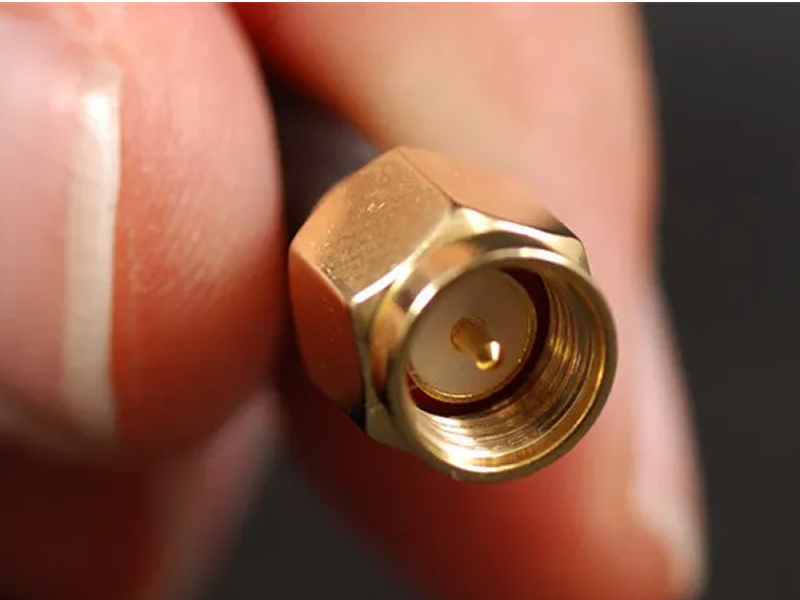
Beacon uses SMA male connectors and is designed for 4G LTE and 5G routers with compatible external SMA cellular antenna ports. Before connecting any external antenna, make sure the router’s connector type, cellular bands, and antenna configuration line up with Beacon.

13. Does my router need four antenna ports to use Beacon?

Beacon has four SMA cellular leads and is built around a four-antenna configuration. If your router uses fewer than four external cellular antenna ports, check the router’s antenna setup before assuming Beacon is the right match. The number of SMA ports matters just as much as the connector itself.

14. How do I install Beacon without drilling?

Clean the mounting surface, remove the adhesive backing, press Beacon onto the smooth surface, and connect the SMA cables to the router’s cellular antenna ports. That’s it. No brackets, roof access, or drilling required for a standard adhesive installation.  

15. Where does Beacon work best?

Beacon is a strong fit for indoor spaces where cellular signal is better near a window but an outdoor antenna install would be unnecessary or impractical. Offices, retail stores, job trailers, security rooms, apartments, pop-ups, and similar spaces are all good examples.

16. Where can I buy a Beacon antenna?

Beacon is available through Katalyst’s authorized reseller network. Visit our Where to Buy Page to find a reseller.

DON'T RAGE QUIT.

Become a Partner.

APPLY NOW